Vigilo (Real-Time AI Exam Proctoring, Rust)
Real-time exam-proctoring detection engine rebuilt from scratch in Rust: five ONNX models (face, head pose, gaze, prohibited objects, identity) fused into cheat-detection rules at 15 Hz, replacing a 5-12 fps MediaPipe-in-the-browser pipeline.
Where it started
Vigilo is an online exam proctoring system, a desktop app that watches a candidate through their webcam and flags cheating: leaving the frame, looking away, using a phone, having someone else in the room.
The original detection module ran inside a React/Tauri desktop app. It used MediaPipe's WASM builds: machine learning models compiled to WebAssembly, running inside the browser engine that Tauri wraps. Face detection, face landmarks, object detection, all executing in JavaScript.
It worked, barely: 5 to 12 fps on a good day, with the UI stuttering because the ML inference and the React render loop shared one thread. The detection logic lived inside a Zustand store with 14 module-level variables, the same threshold constant appeared in three places with three different values, and the whole thing couldn't be tested without a browser, a camera, and a running React app.
The decision was made: rebuild the detection module in Rust, from scratch.
The spec
Before writing code, three documents were written. CONTEXT.md dissected the old module: every bug, every hardcoded constant, every architectural mistake worth not repeating. MODELS.md was the plan: which ONNX models to use, how to thread them, what the public API should look like. rust_context.md would become the record of what actually happened, including where reality contradicted the plan.
The core design decision was made early and never changed: detection and decisions are separate things. Models produce stateless per-frame observations (Signals). A different layer turns those into violations with timers and hysteresis. Because Signals serialises to JSON, a session can be recorded once and replayed through the decision logic thousands of times with zero inference. That single property made threshold tuning tractable, and it's the reason the whole project didn't drown in "run the camera, squint at the screen, change a number, repeat."
Five model slots were identified: face detection, head pose, gaze direction, object detection, and face identity. All had to be ONNX, all had to run through the ort crate (Rust bindings for ONNX Runtime), and all had to be permissively licensed.
Architecture at a glance
One camera feed, three worker clocks, one fusion layer. The pipeline in one picture: a shared frame fans out to detectors running at three different rates, all converging on the fusion layer that turns raw signals into violations, while the viewer reads both the raw frame and the fused verdicts.
Building it
The crate and the CLI
The detection engine was built as a standalone Rust library: no Tauri dependency, no UI, no framework. A command-line tool (detect-cli) was written alongside it: inspect models, benchmark them, capture from a camera or video file, record signal streams, replay them through fusion. This tool earned its keep immediately and repeatedly: it caught wrong tensor shapes, exposed faceless benchmarks, and made every measurement in this project possible without launching a desktop app.
Camera capture
The first problem: Rust has no standard camera API. On Windows, webcam access means either DirectShow (1996, COM-based, deprecated, still what most cameras work best with) or Media Foundation (2006, "modern", quirky). Every webcam vendor implements them differently.
The pragmatic choice was ffmpeg as a subprocess: shell out to it, read raw RGB off a pipe. It worked on day one with no new dependency and no build fight. It was explicitly labelled a harness path, meant to be replaced. Measured: 30.05 fps, p50 31.23 ms inter-frame, 79.2 MB/s decoded. Capture was never going to be the bottleneck.
Face detection: YuNet
YuNet, from OpenCV Zoo. 230 KB, MIT licensed, 75,856 parameters against RetinaFace's 27.3 million. It outputs face boxes plus five keypoints (both eyes, nose, both mouth corners) plus a confidence score, all in one pass.
Details that matter: BGR, not RGB. YuNet was trained through OpenCV, which feeds BGR. Getting this wrong doesn't crash anything; it degrades detection. The kind of bug that survives a smoke test. So it was made a named constant with a comment.
Validated against a known face image: exactly 1 detection, box on the face, all five keypoints landing where they should. Then 60 frames of a test pattern with no faces: zero detections. End-to-end in release: 8.4 ms p50.
The INT8 surprise
The spec recommended YuNet's official INT8 model as a "happy exception: use it without hesitation," citing OpenCV Zoo's own accuracy evaluation.
On this CPU, INT8 was 10.7× slower than fp32. 47.96 ms against 4.49 ms. On a CPU that has AVX-512 VNNI, the instruction set that's supposed to make INT8 fast.
The cause: the downloaded file used QOperator format, which the spec's own table listed as a known trap. The spec documented the failure mode and then exempted the one model that exhibited it.
Lesson learned and applied everywhere after: never assume a downloaded quantised model is fast. Benchmark it. The "ship both and pick at startup" policy was vindicated: here it would have silently saved 43 ms per frame.
Threading
Two threads became three. Capture runs at 30 fps. Face detection runs at 15 Hz. The two clocks are now independent: a stale frame is worthless, so roughly 50% of captured frames are dropped by design.
The frame bus is a single "latest frame" slot that gets overwritten, not a queue. Each worker reads at its own pace. Arc<Frame> means the capture thread decodes once and all workers share it with zero copies.
A Detected struct bundles the frame and the signals derived from that frame as one unit, never separated. That's what makes a consumer's bounding boxes align with the pixels structurally: there's no sequence number to match, because there's nothing to get out of sync.
The viewer
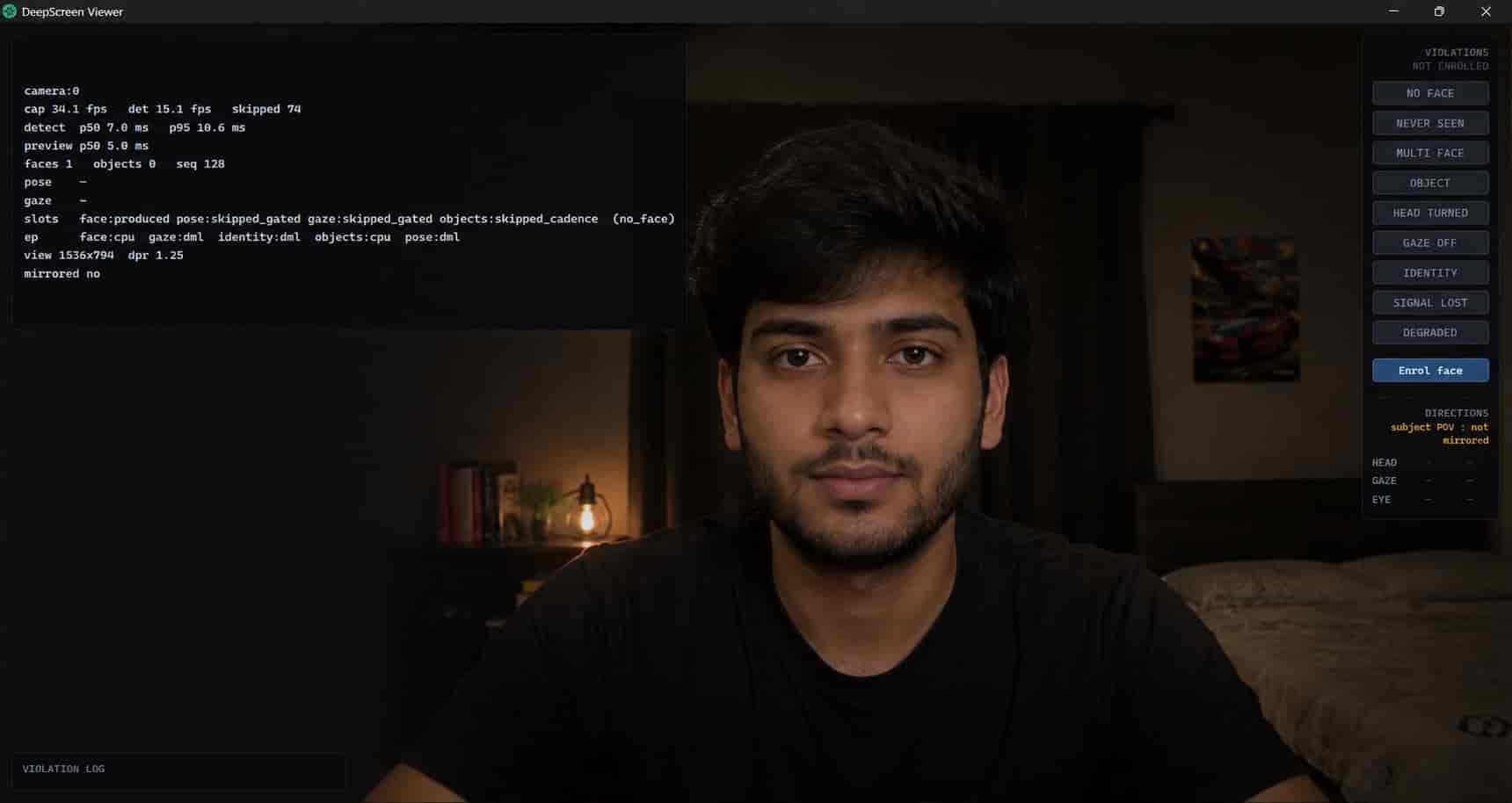
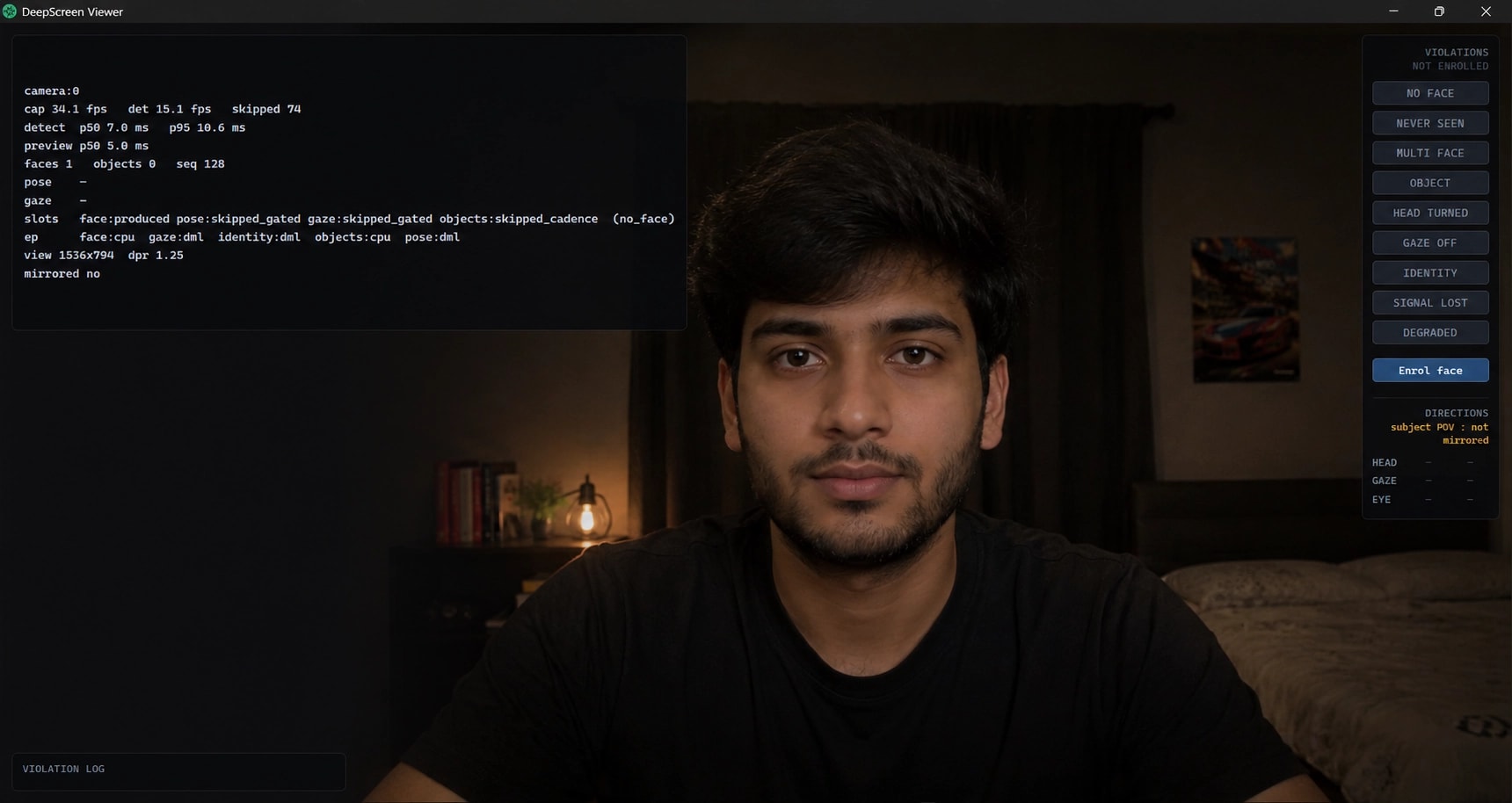
A minimal Tauri app was built to put a live picture on screen while the engine was developed. Plain HTML, one CSS file, vanilla JS: no React, no bundler. Video served as an MJPEG stream over localhost HTTP (the browser decodes every frame natively with zero JavaScript in the loop). Bounding boxes drawn as SVG over the image, not baked into the pixels.
It was originally called a throwaway test instrument. It became the product.
Wiring the models
Head pose
headpose_mobilenetv3_small.onnx: takes a face crop, outputs a 3×3 rotation matrix (not Euler angles as the spec predicted; detect-cli inspect caught this). Absolute yaw/pitch/roll in degrees, no calibration needed.
The old module needed a 5-second calibration for pose. The new one doesn't. Turning your head 30° reads as 30°, regardless of where you started.
Gaze and eyeball movement
mobileone_s0_gaze.onnx: outputs two 90-bin classification heads, not regressed angles (again, detect-cli inspect caught the discrepancy). Decode is softmax over bins, then expectation over bin centres.
The key insight: the model returns combined head + eye direction. Subtracting head pose gives eye-in-head: where the eyes are pointing relative to the face. That signal catches someone sitting perfectly still and glancing down at a phone, which head pose alone can't see. The old module never computed this; CONTEXT.md flagged it as a gap.
Validated with controlled footage: head deliberately still, eyes moving only. eye_pitch swung between +2.8° and +19.7° while pose_pitch held a standard deviation of 1.29°. The acceptance test passed: the eye-in-head signal is real and independent.
A systematic +12° to +15° gaze pitch offset was discovered: gaze idles at +8 to +16° instead of near zero while looking at the screen. Not a sign error: down reads −25°, up reads +18°, correct separation. Consistent with the camera sitting above the screen. Filed as a calibration constant for later, not a bug.
Object detection: the licence decision
YOLO26n was benchmarked, faster than anything else, NMS-free output, already on disk. But it's AGPL-3.0. The spec was explicit: decide before writing postprocessing around its output shape, because the alternatives aren't NMS-free and switching later means writing code you'd skipped.
The decision: YOLOX-Nano, Apache 2.0. 0.91M parameters, 1.08 GFLOPs, a pure convolution graph. 2.7× faster than YOLO26n on CPU (11.56 ms vs 30.98 ms). The NMS cost was lowered by reusing face detection's existing implementation, structurally the same stride-8/16/32 decode.
The thread-spinning trap
Adding object detection made face detection twice as slow, even though objects only ran once per second.
The cause wasn't contention during inference. It was ONNX Runtime's thread pool spinning while idle. Each session spins worker threads between runs so the next call starts fast. The object session had 4 intra-op threads spinning through the entire idle second, starving the face worker.
The diagnostic that identified it: the median moved, not just the tail. Contention during a 1% duty-cycle task would only inflate p95. An 18 ms shift in p50 meant something was burning CPU nearly all the time.
Fix: intra_threads = 1 on the object session. 37.5 ms → 17.9 ms. An 11.6 ms model running once per second never needed four threads.
What objects actually detect
Phone detection validated at peaks of 0.80 to 0.86. But book detection maxed at 0.149, essentially non-functional. The cause: COCO's book class is book spines on shelves, not a book held open at reading angle. Different distribution entirely. person scored 0.91 in the same frames, so the model and decode are fine; book specifically doesn't match.
Also discovered: phones sometimes get labelled remote (0.66) or laptop (0.55). With a literal-string allowlist, those detections pass through undetected. Both were filed as fusion requirements (class bucketing and confidence accumulation) rather than detection problems.
Fusion: turning signals into decisions
Six rules, each with hold timers, hysteresis, and smoothing:
- No face: absent 2.5 s continuous. Plus a
NeverSeenstate: no face in the first 10 s is its own high-severity violation (the old module could never flag a candidate who was never in frame). - Multiple faces: 2 or more for 2 s.
- Head turned: absolute yaw/pitch past threshold, with separate enter and exit angles to prevent flicker.
- Gaze off screen: after subtracting the +12.5° pitch offset.
- Prohibited object: confidence accumulation with decay rather than single-frame thresholding, because phone detection is peaky (only 26% to 42% of frames clear 0.5 even with a phone plainly in view).
- Signal lost: a model failing or gated for 5+ seconds becomes a reportable condition, not silence. A proctoring system that goes blind must say so.
The whole decision layer replayed 2,700 frames of real footage in 87 ms, and independently found the phone at 3.3 s and 75 s, the lap-look at 30 s, matching footage it was never tuned against.
Identity
ArcFace, ported from the existing app. Fourth worker thread at 0.2 Hz, own session, intra_threads = 1 (learning from the spin-wait). Enrolment on first run, cosine similarity every 5 s, three consecutive failures before flagging. Cost to the detect thread: nothing measurable.
The camera wars
With the module working, the remaining problem was distribution: the app bundled ~128 MB of ffmpeg binaries, and on a machine without ffmpeg installed, the camera wouldn't work.
ccap-rs: the hope
A C++ camera library with Rust bindings. Both DirectShow and Media Foundation backends, hardware-accelerated pixel conversion, zero runtime dependencies. Everything right on paper.
Two traps were found and documented:
- Requesting RGB before
open()returned success and silently delivered BGR. Caught on the first run only because the source validates pixel format per frame and refuses rather than best-effort converting. That check paid for itself immediately. get_property()reported the requested resolution, not the negotiated one. The source confidently logged 1280×720 while delivering 640×480.
The real problem was worse: mean face confidence dropped from 0.920 to 0.782. A control run at 640×480 through ffmpeg scored 0.926, so it wasn't the resolution. It was ccap's pixel handling, likely a colour-range mismatch. A gaze shift of 16° (larger than the calibration constant the entire threshold system depends on) sealed it.
ccap was committed to a branch and rejected from shipping. The traps were recorded so nobody rediscovers them.
The resolution
A custom minimal ffmpeg build. Same source, same DirectShow path, same pixel handling. So the confidence drop that killed ccap structurally cannot happen. --disable-all, enable only DirectShow input, MJPEG decode, raw RGB output, pipe protocol. LGPL, not GPL.
128 MB → ~3 MB. Built once, committed, never needs the toolchain again.
Where it ended up
A standalone Tauri desktop app. Opens, camera on, live video with bounding boxes, violations flagged in real time. Five AI models running on four threads, 15 Hz face/pose/gaze, 1 Hz objects, 0.2 Hz identity. Fusion layer making decisions with hold timers, hysteresis and scored evidence. ~70 MB installer, zero prerequisites.
By the numbers
- Models: 5 ONNX, 27.2 MB total, all permissively licensed
- Detection latency: p50 27.03 ms sustained, 15 Hz
- Capture: 30 fps, not the bottleneck
- RAM: ~190 MB resident
- Installer: ~70 MB
- Fusion replay: 2,700 frames in 87 ms
- Tests: 119 passing, clippy silent
What works
- Face detection with 5 keypoints at 92% mean confidence
- Head pose: absolute, no calibration
- Gaze direction with eye-in-head subtraction
- Phone detection at 0.80 to 0.86 peaks
- Face identity with enrolment and mismatch detection
- Six violation rules with temporal logic
- Recorded-session replay with zero inference
- Live viewer with SVG overlay, violation log, direction readout
- Self-contained installer, no dependencies
What doesn't
- Book detection: 0.149 max, needs fine-tuned model or drop-and-document
- Calibration UI: gaze needs a short calibration step, specified but unbuilt
- Liveness challenge: specified, unbuilt
- GPU acceleration: DirectML branch exists, not merged
- Native camera: ccap branch exists, rejected on accuracy; ffmpeg subprocess remains
- Integration into the main DeepScreen app: deliberately out of scope; the module is standalone
What was learned
Measure before you believe. The spec said INT8 would be fast: it was 10.7× slower. The spec said YuNet's input was 320×320: it was 640×640. The spec said ccap would be equivalent: it dropped confidence by 0.14. Every assumption that wasn't measured was wrong.
Separate detection from decisions. The single most valuable architectural choice. Not because it's elegant, but because it makes tuning survivable. A session recorded in 90 seconds replays through fusion in 87 ms: that's the difference between tuning three times and shipping whatever you had, and tuning three hundred times against recorded footage.
The silent failures are the dangerous ones. BGR instead of RGB doesn't crash: it degrades. QOperator INT8 doesn't fail: it runs ten times slower. A gated model doesn't report absence: it returns zeros. ccap's resolution negotiation returns success and delivers the wrong size. Every one of these would have survived a demo. The defences that caught them (detect-cli inspect, per-frame format checks, per-frame SlotState, the INT8 benchmark) were all written before they were needed, and all paid for themselves within hours.
Threading bugs don't look like threading bugs. The spin-wait problem presented as "face detection got slower": not a crash, not a race, not a deadlock. The diagnostic that caught it was noticing that the median moved, not just the tail. That's the kind of signal that's easy to dismiss as noise, and it was the whole finding.
The camera problem on Windows is genuinely hard. Not because the APIs are complex (they are), but because every webcam vendor implements them differently, and there is no Rust crate that handles all of it well. The best camera code on Windows is Chromium's, which is inside the Tauri app already, but on the wrong side of the process boundary for Rust to use. This remains unsolved in the ecosystem.
Size is the last thing to optimise. Multiple sessions were spent on camera alternatives that, at best, would have changed a download from two minutes to one. Meanwhile, book detection was broken and calibration didn't exist: things that determine whether the product works, not how long it takes to download. The ffmpeg trim was the right call: small effort, real saving, no risk to what actually matters.
